The Phillips Library catalog, also known as EBSCO Discovery Service or EDS, contains records for all books, electronic materials, and other resources owned by the Phillips Library.
To learn more about your remote access to our catalog and licensed databases, see the Remote Access page.
Databases in the Catalog
Many of our databases are indexed in the Library Catalog. To see what is and is not searchable in the catalog, check out the boxes below.
In the Catalog
The following databases and online resources are searchable in the Library Catalog using the "Everything in Library Collection" limiter:
Atla and EBSCO Databases:
Academic Search Premier
Atla Religion Database with AtlaSerials PLUS
New Testament Abstracts
Old Testament Abstracts
ACLS Humanities Ebooks
Credo Religion
Encyclopedia of the Bible and Its Reception Online
JSTOR
Oxford Handbooks Online (Religion)
Not in the Library Catalog
The following databases and online resources are not searchable in the Library Catalog and must be searched separately:
The Library subscribes to numerous online resources and databases in order to provide our students and faculty with high quality information not freely available on the internet.
You can search the A-Z Databases List by title or by filtering by subject. Resources only available to Phillips/CMLT students and faculty are indicated by a red lock () icon. Resources open to all library patrons are indicated by a green lock () icon.
Many of our databases are indexed in the Library Catalog. To see what is and is not searchable in the catalog, check out the Library Catalog & Databases page.
Not sure how to access our resources remotely? See the Remote Access page for more information.
Databases or Google?
The Phillips Library subscription databases provide Phillips students and faculty with free access to a wide variety of research resources that would otherwise be behind a paywall. These resources include journal and newspaper databases, e-books, sermons, and much more. This collection of databases provide content that supports the Phillips curriculum and their content is scholarly, up-to-date, and reliable for the seminary coursework research requirements. Journal and e-book databases provide peer-reviewed content.
A Google search may locate some scholarly materials, but might also locate blogs, videos, and other popular resources that are not appropriate for coursework research.
Never pay for online resources! Always use the databases provided by the Phillips Library for coursework and research, and if you need help locating or searching the databases, contact the library at [email protected] .
Boolean operators are AND, OR, and NOT. Boolean operators connect your search terms together in order to NARROW or BROADEN your search results. If your topic contains several search terms, boolean operators help refine your search.
SEARCH ORDER
Databases commonly recognize AND as the primary boolean operator, and will search for the two terms connected by AND first. If you use more than one Boolean operator in a search, be sure to enclose the terms connected by OR or NOT together in parentheses.
For example: democracy AND (united states OR france)
And/Or/Not
Use AND to:
NARROW your search.
Indicate that ALL search terms must be present in the search results.
Example: women AND leadership
Use OR to:
BROADEN your search.
Indicate that ANY of your search terms can be present in the search results.
Example: women OR leadership
Use NOT to:
EXCLUDE words from your search.
NARROW your search by indicating which concepts related to your search are to be ignored.
Example: education NOT middle school
Subject Search
SUBJECT SEARCH
SUBJECT HEADINGS are a defined and controlled set of terms used to describe items in a database.
SUBJECT searches locate items specifically assigned a SUBJECT HEADING.
SUBJECT HEADINGS can refine your search to the most relevant resources.
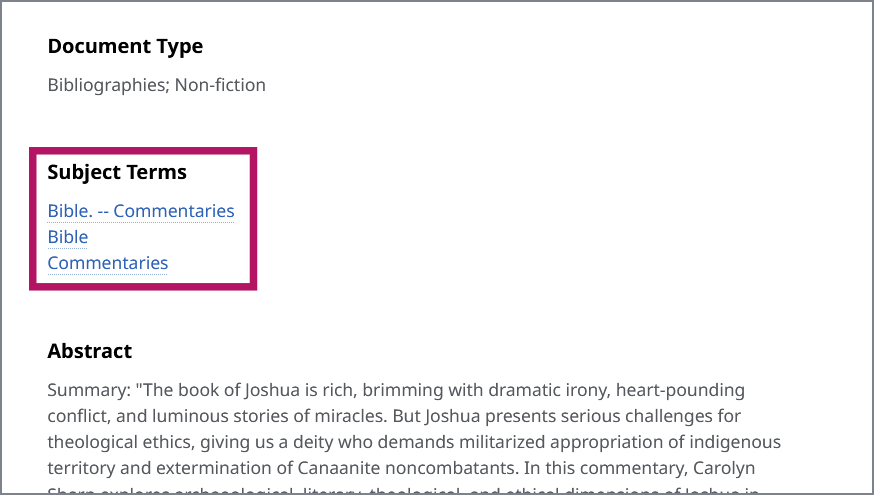
To locate a subject heading in the Phillips Library catalog, open a record and look for the Subject Terms. Simply click a term to locate other materials with the same subject heading.
Truncation & Wildcard
TRUNCATION broadens your search to include various endings and spellings of a ROOT WORD.
Use the ROOT WORD, followed by an ASTERISK (*).
Examples:
theol* = theology, theological, theologian
econ* = economy, economic, economics, economical
WILDCARD broadens a search by substituting a SYMBOL for a letter.
Examples:
wom?n = woman, women
defen?e = defence, defense
Authentication
When accessing our full-text databases, eBooks, and other licensed content from off-campus, you will be prompted to log in to the SSO. Current students, employees, and faculty can access licensed library resources remotely.
Library Account
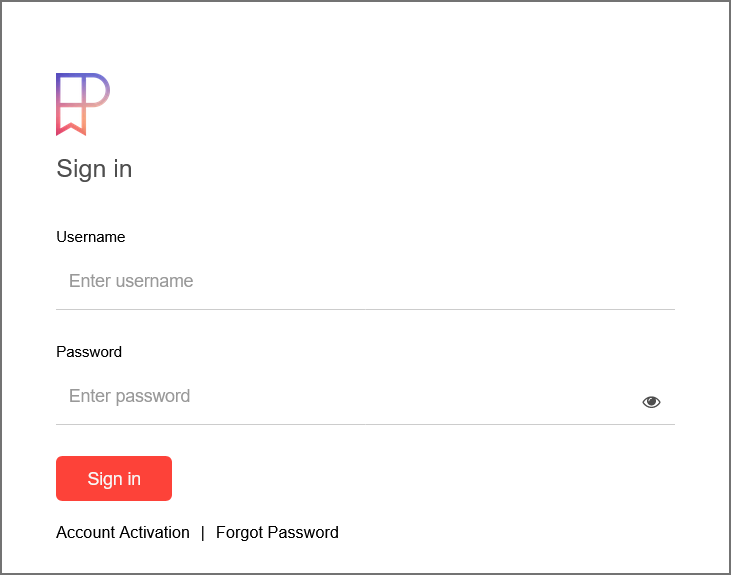
How to log in to your Library Account: (PTS/CMLT students, faculty, & staff only)
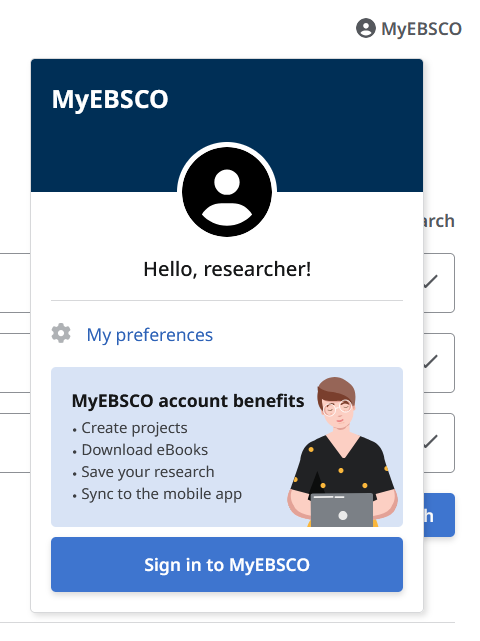
In the top right corner of the catalog, click "MyEBSCO" and then click "Sign in to MyEBSCO". After entering your credentials on the SSO login page, you'll be automatically returned to the catalog.
 ) icon. Resources open to all library patrons are indicated by a green lock (
 ) icon.